Dacă copilul dvs. petrece mult timp pe telefonul mobil, este normal să vă faceți griji cu privire la bunăstarea sa digitală. Într-o astfel de situație, este normal să vă întrebați cum să vedeți mesajele text ale copilului meu pe un iPhone.
Deși Apple oferă o soluție nativă pentru a vedea cu cine trimite mesaje copilul dumneavoastră, aceasta are limitări. Aici intervin instrumentele de control parental dedicate, precum Parentaler, care vă oferă o imagine mai completă a activității de mesagerie a copilului dvs.
Mesajele pe iPhone și limitele acestora
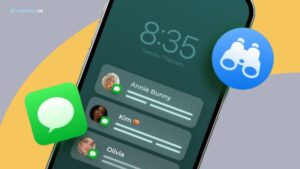
În mod implicit, aplicația iMessage de la Apple utilizează serviciul bazat pe internet pentru a transfera mesaje de la un dispozitiv la altul. Cu toate acestea, dacă telefonul nu este conectat la internet, aplicația utilizează SMS ca soluție de rezervă pentru a se asigura că toate mesajele sunt livrate.
Aplicația vine, de asemenea, cu o funcție de redirecționare a mesajelor pe care o puteți utiliza pentru a vedea mesajele text ale altor persoane pe iPhone-uri. Dacă trebuie să activați această funcție pe telefonul copilului dumneavoastră, puteți utiliza pașii enumerați mai jos.
- Luați iPhone-ul copilului dvs. și asigurați-vă că este conectat cu ID-ul Apple și la o rețea celulară.
- Conectați-vă la ID-ul Apple al copilului dvs. de pe un alt dispozitiv folosind numele de utilizator și parola acestuia.
- Acum, mergeți la “Setări” și apăsați pe “Mesaje” pe iPhone-ul copilului tău.
- Selectați “Transmiterea mesajelor text” și alegeți dispozitivul pe care tocmai v-ați conectat.
În acest fel, veți începe să primiți mesajele text ale copilului dvs. pe dispozitivul selectat.
Deși această metodă vă poate ajuta să vedeți cu cine trimite cineva mesaje pe iPhone-uri, are mai multe dezavantaje. În primul rând, va trebui să aveți datele de identificare ale contului Apple al copilului dvs. De asemenea, este necesar să aveți un dispozitiv separat pe care să puteți primi mesaje.
În plus, copilul dvs. poate, de asemenea, să oprească “Transmiterea mesajelor text” oricând doresc.
Primiți mesajele iPhone ale copilului meu cu Parentaler
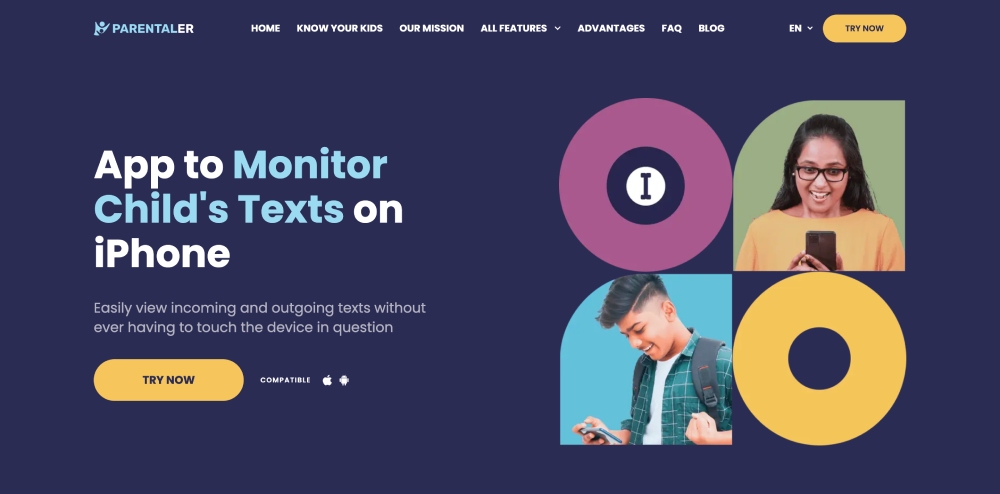
Cea mai eficientă metodă de a vedea cui îi trimite copilul meu mesaje pe un iPhone este să folosesc Parentaler. Cu această aplicație, nu va trebui să vă confruntați cu niciuna dintre limitările redirecționării native a mesajelor Apple.
Aplicația vă oferă acces la toate mesajele pe care copilul dvs. le trimite și le primește. În plus, aceasta afișează, de asemenea, orele exacte și numele contactelor pentru fiecare conversație, astfel încât să aveți o imagine clară a activității de mesagerie a copilului dvs.
Ceea ce face ca Parentaler să fie și mai eficient este faptul că vă permite să monitorizați cam tot ce face copilul dvs. pe un iPhone. Iată o listă a principalelor funcții de monitorizare a smartphone-urilor cu care vine aplicația:
- Monitorizarea activității de chat pe mesagerii social media
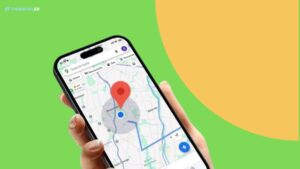
- Urmărirea locației GPS cu geofencing
- Monitorizarea jurnalelor de apeluri și a agendei telefonice
- Keylogging
- Capturarea ecranului
- Blocarea aplicațiilor și a site-urilor web
Instrumente Apple încorporate vs Instrumente de control parental
Nu există nicio îndoială că funcția nativă de redirecționare a mesajelor Apple este mai bună decât a nu avea nimic. De asemenea, este adevărat că vă poate ajuta să obțineți iMessage-urile cuiva trimise pe iPhone-ul dvs., dar nu este foarte fiabilă.
Aranjarea unui iPhone separat, punerea mâinilor pe credențialele Apple ale telefonului țintă și accesarea fizică a acestuia fac ca întregul proces să fie o mare bătaie de cap.
Deci, pentru a primi mesajul cuiva pe iPhone, cea mai eficientă metodă este să folosesc Parentaler. Nu numai că facilitează procesul, dar vă permite și să monitorizați totul pe dispozitivul țintă (nu doar mesajele).


Concluzie
Pentru a vă proteja copilul de cyberbullying, hărțuire online și alte amenințări digitale, ați dori să vedeți mesajele text ale copilului dvs. de pe iPhone.
Din cauza limitărilor redirecționării native a mesajelor Apple, utilizarea Parentaler este o opțiune mai bună pentru această situație.
Acesta vă oferă informații complete despre mesageria de pe iPhone-ul copilului dvs., împreună cu toate celelalte activități pe care le efectuează pe dispozitivul lor.